
China Top 10 Industrial Panel Mount Monitor Manufacturers
China’s industrial display market serves factories, transport systems, kiosks, and control rooms with different operating demands. This guide introduces ten China-based manufacturers of Industrial Panel Mount Monitor products, giving readers a practical starting point for supplier research. A ranked list can be useful, but it is not a universal verdict: product ranges, service coverage, and manufacturing strengths vary by company and application.
For a fair comparison, look beyond screen size and advertised resolution. Check panel brightness, viewing angles, touch technology, mounting dimensions, input options, and the stated operating temperature. In a packaging line, for example, a bright screen may be easier to read beneath overhead lighting, while sealed front bezels can simplify cleaning. Ask suppliers for current datasheets, drawings, warranty terms, and sample-test options. Details count.
The manufacturers discussed here should be assessed against the actual installation environment, not marketing claims alone. Confirm whether a model supports the required computer interface, fits the cabinet cutout, and remains readable from the operator’s normal position. It is also sensible to ask how the supplier handles customization, spare parts, and technical questions after delivery. These points can be difficult to judge from a website. A polished specification sheet does not guarantee a smooth project, and this guide cannot replace direct verification. Use the overview to build a shortlist, then compare evidence and request written confirmation before making a purchase decision.
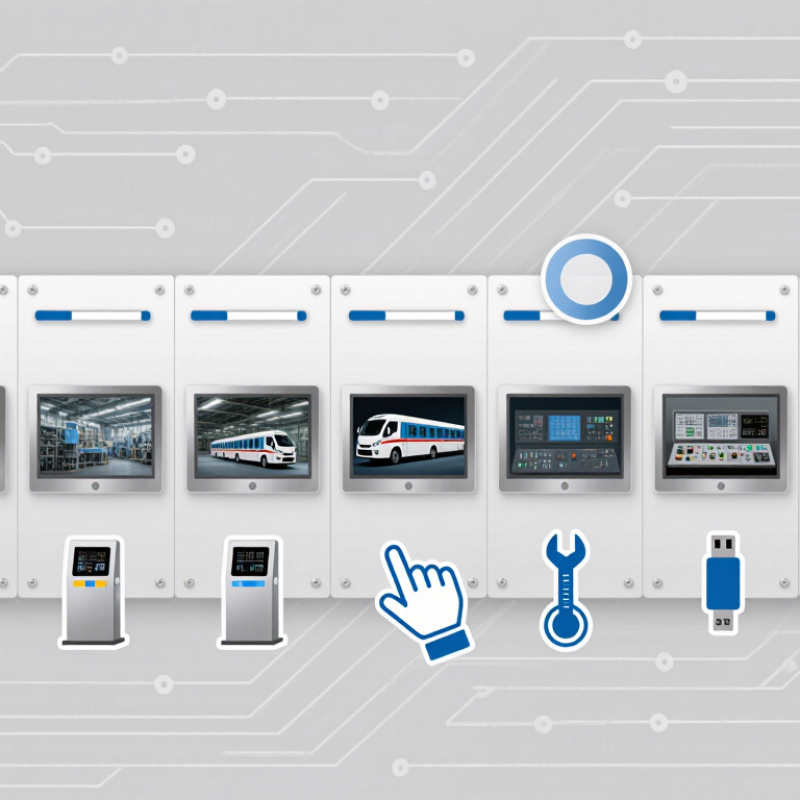
What Industrial Panel Mount Monitors Are and Where They Are Used
An industrial panel-mount monitor is a display designed to sit inside a cabinet, control console, or machine enclosure. Its front bezel faces the operator, while cables and electronics connect behind the panel. Many models offer touch input, sealed front surfaces, and wide operating-temperature ranges. Operators use them to view production status, adjust settings, and acknowledge alarms. A gloved hand may tap a recipe change beside a running conveyor. Not just a screen.
These monitors appear on packaging lines, machine tools, power systems, and water-treatment control panels. Their job is practical: show clear information where work happens. The International Federation of Robotics reported 4.28 million industrial robots operating worldwide in 2023, up 10% from 2022. More automated equipment creates more points where people need to monitor processes and respond to faults. Still, a monitor alone cannot make a control system safe or easy to use.
Grand View Research valued the global industrial display market at $5.31 billion in 2023 and forecast 7.3% annual growth from 2024 to 2030. That figure covers industrial displays broadly, not panel-mount monitors alone. The distinction matters. When specifying a unit, check sunlight readability, touch response, mounting depth, and resistance to dust or vibration. A bright display can still be difficult to read under glare; that detail is easy to miss on a showroom bench.
China Top 10 Industrial Panel Mount Monitor Manufacturers - What Industrial Panel Mount Monitors Are and Where They Are Used
Industrial panel mount monitors are displays designed to be installed in a cabinet, console, or machine panel. The table below summarizes ten common application sectors and typical monitor considerations; it is an application overview, not a ranking of manufacturers.
| No. | Application Sector | Typical Use | Common Installation Location | Useful Monitor Characteristics | Typical Connections and Considerations |
|---|---|---|---|---|---|
| 1 | Factory automation | Displaying machine status, production counts, alarms, and operator-control screens. | Control cabinets, machine enclosures, and operator consoles. | Touch or non-touch operation; a durable front surface; screen size selected to suit the control interface. | Video inputs such as HDMI, DisplayPort, or VGA may be used, depending on the connected controller. Check signal compatibility and panel cutout dimensions. |
| 2 | Process control | Viewing process diagrams, trends, setpoints, and alarm information in continuous-operation environments. | Plant control rooms and process-area operator stations. | Reliable operation, legible graphics, and a suitable viewing angle; touch input can support direct interaction with control software. | Confirm the host computer’s video output, required operating temperature range, and power arrangement for the installation. |
| 3 | Packaging and labeling | Showing line settings, product recipes, label previews, and equipment status. | Packaging-machine panels and production-line consoles. | A responsive touch interface can simplify recipe selection; a sealed front may help with routine surface cleaning. | Check whether the front-panel protection level suits the cleaning methods and exposure expected at the specific station. |
| 4 | Food and beverage processing | Presenting operator instructions, line status, batch information, and process alarms. | Processing equipment and washdown-area control panels. | For wet or frequently cleaned areas, select a model with an appropriate front-panel ingress-protection rating and compatible materials. | Protection ratings apply to defined conditions and installation details. Verify the complete mounted assembly and cleaning-agent compatibility. |
| 5 | Pharmaceutical production | Displaying batch workflows, equipment status, and production instructions. | Production-line panels and controlled-area equipment enclosures. | A smooth, cleanable front and a display that supports the required interface and viewing distance are often useful. | Choose the monitor as part of the facility’s validated system design; the monitor alone does not establish regulatory compliance. |
| 6 | Machine tools and CNC equipment | Showing machine-control screens, tool paths, operating modes, and diagnostic messages. | Machine-tool enclosures and operator consoles. | Consider touch type, glove use, vibration exposure, and screen visibility from the operator’s normal position. | Verify compatibility with the CNC controller or industrial computer, including video format, resolution, and available power. |
| 7 | Warehouse and material handling | Displaying conveyor status, sorting information, inventory interfaces, and equipment alerts. | Sortation-system cabinets, conveyor stations, and logistics control desks. | A readable display and sturdy mounting are helpful in busy environments; touch input may be used where operators interact at the station. | Consider ambient light, viewing distance, cable routing, and access for maintenance when choosing the installation position. |
| 8 | Building management | Viewing HVAC, lighting, access-control, and other building-system dashboards. | Building control rooms, facility panels, and service desks. | Screen size and resolution should suit the dashboard layout and the distance from which staff view it. | Check compatibility with the building-management computer and the available mounting depth, ventilation, and power supply. |
| 9 | Energy and utilities | Presenting equipment measurements, system diagrams, alarms, and operating data. | Utility control cabinets, electrical rooms, and operator stations. | Consider the site’s temperature range, electrical environment, viewing conditions, and required service life. | Installation should follow applicable electrical and safety requirements. Confirm grounding, power input, and signal-cable routing. |
| 10 | Transportation infrastructure | Displaying monitoring interfaces for traffic, transit, or infrastructure equipment. | Equipment cabinets and control-room consoles. | For bright locations, assess screen brightness and glare; for enclosed cabinets, assess temperature and ventilation needs. | Check environmental conditions, mounting security, power availability, and the video interface used by the monitoring system. |
Selection note: Panel dimensions, display resolution, brightness, touch technology, power input, operating temperature, and front-panel protection vary by model. Confirm the exact product specifications and installation conditions before selection.